


In Solidgate Billing 2.0, flat-rate pricing charges a fixed recurring fee for access to the product. The subscription price does not change when you add or remove users within the plan’s limits.
For example, a plan costs 99 USD per month or 990 USD per year. The price stays the same whether 15, 30, 60, or 99 or more users access the product. This holds as long as the plan allows that number of users.
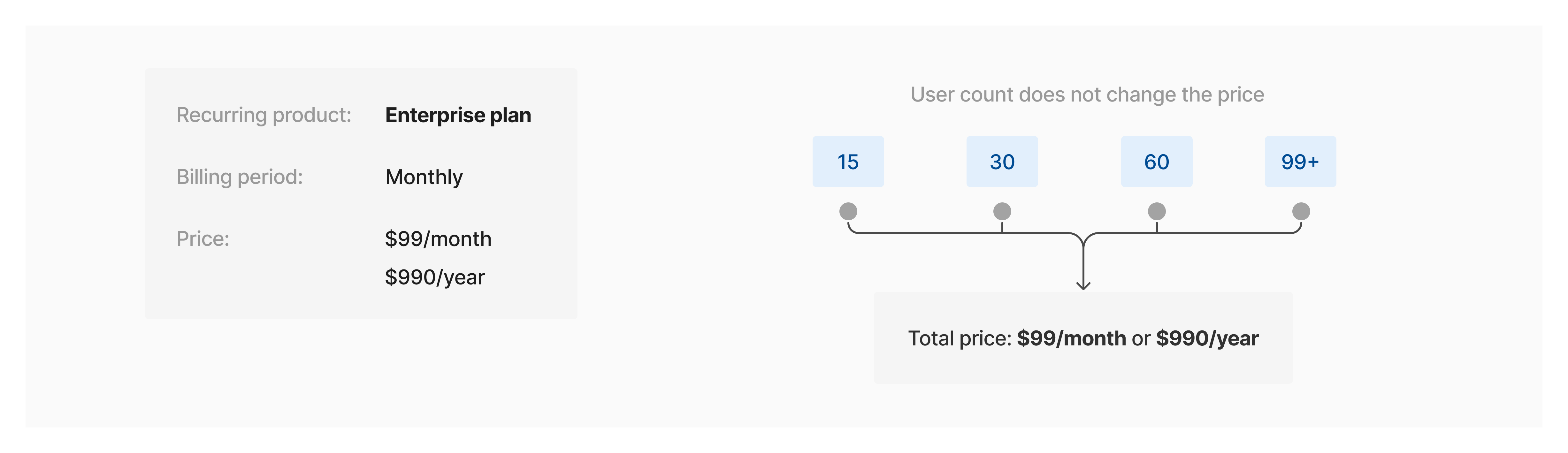
How flat-rate pricing works

The plan might limit the number of users, usage, or other resources.
What to consider:
- Offer flat-rate pricing when customers need predictable costs or fixed budgets.
- Configure the billing period at the product level.
- Create a separate product for each combination of plan and billing period.
- Add a price to each product to define its cost in a specific currency.
Set up flat-rate pricing
- Send a request to the create product API v1 endpoint to create a product and set its billing period.
- Assign a price to that product ID with the create product price API v1 endpoint.
- Repeat these two API calls to create the product with other billing periods and their corresponding pricing.
- Create a customer to identify who is being billed, using the create customer API v2 endpoint.
- Create the subscription, referencing the
product_price_idand setquantityto 1.
Start with the product
- Go to Billing > Products.
- Click on + Create product.
- Enter a name for the product, and set its Default price and Billing period.
- Click on Create product.
- Repeat the process to create a product for each other billing period and price you need.
Next, create the customer
- Go to Billing > Billing 2.0 > Customers.
- Click on Create customer.
- Select the Individual or Business customer type.
- Complete the customer profile details.
- Click on Create.
Use the Payment Form, Payment Page, or Solidgate API to create the subscription by referencing the product price and setting
quantity to 1.
Next steps
Products
Build your product catalog with billing periods, trial settings, tax categories, and retry strategies for one-time and recurring charges.
Prices
Configure prices per currency and region, define amounts, and link prices to products to reuse them across subscriptions and invoices.
Customers
Create and update customer records, configure billing addresses, and payment instruments to support accurate billing and invoicing.