| Countries | Philippines (PH) |
| Currencies | Philippine Peso (PHP) |
| Min amount | 1.00 PHP |
| Max amount | 100,000.00 PHP |
| Integration type | API v1 |
| Payment Form | |
| Payment Page | |
| Payment Link |
| One-time | Yes | one-time |
| 1-click | Yes | unscheduled |
| Recurring | Yes | unscheduled |
| Unscheduled | Yes | unscheduled |
| Refund | Yes |
| Partial refunds | Yes |
| Multiple partial refunds | Yes |
| Chargeback | Yes |
GCash, the Philippines' most widely used e-wallet, is trusted by millions and holds over 80% of the local e-wallet market. Backed by Globe (Ayala Group) and integrated with Ant Financial's global network, it enables instant, secure, and convenient online payments, including one-time and recurring transactions.
For businesses in the Philippines, supporting GCash is essential to reach the country's primary base of digital payment consumers.
Principle of operation

GCash supports both one-time and unscheduled payment flows, providing flexibility for a range of business models.
- Merchant specify
Merchant specifiesfuture_usage.payment_typeone-time or unscheduled . - Selection at checkout
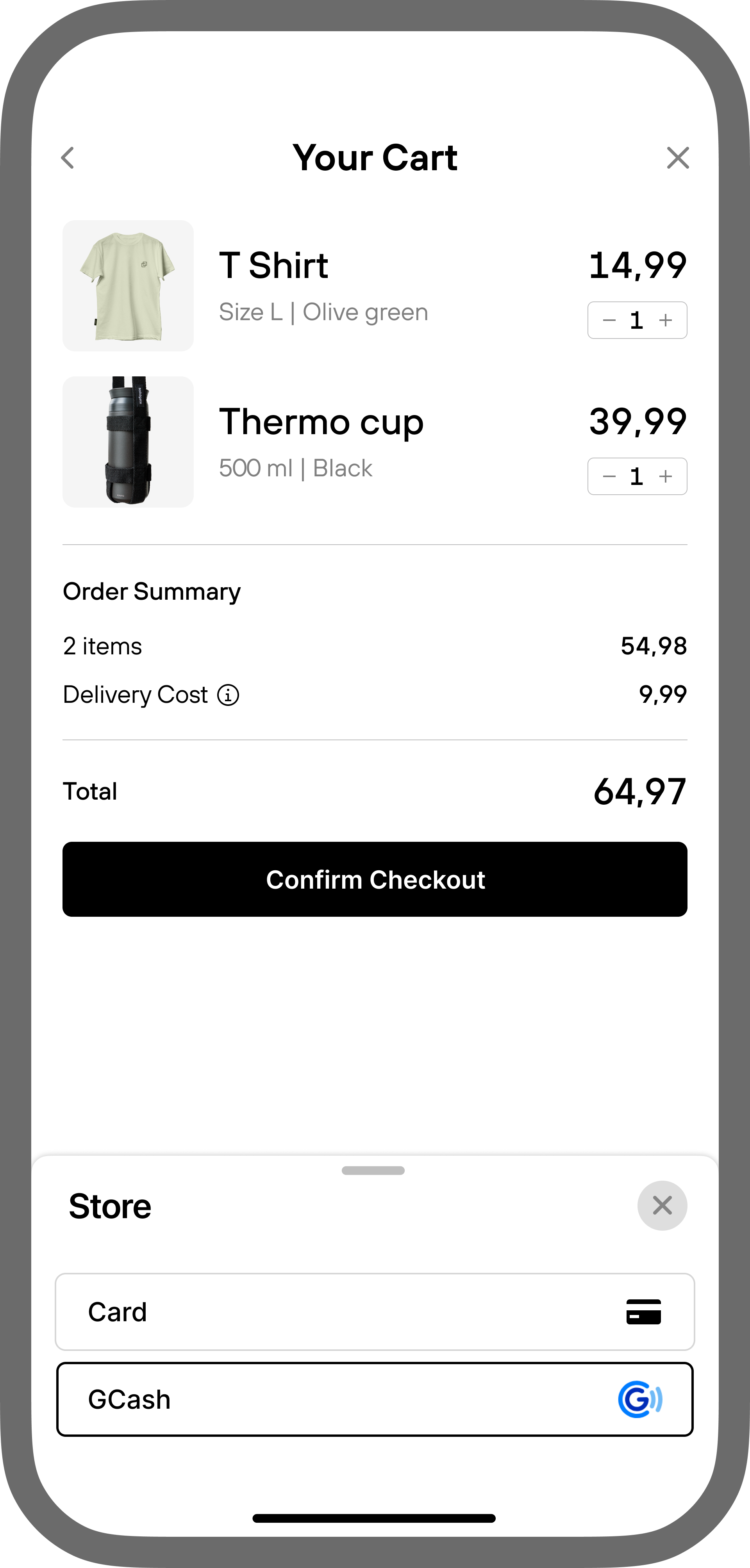
Customer selects GCash as the payment method during checkout. - Payment initiation
-
one-time
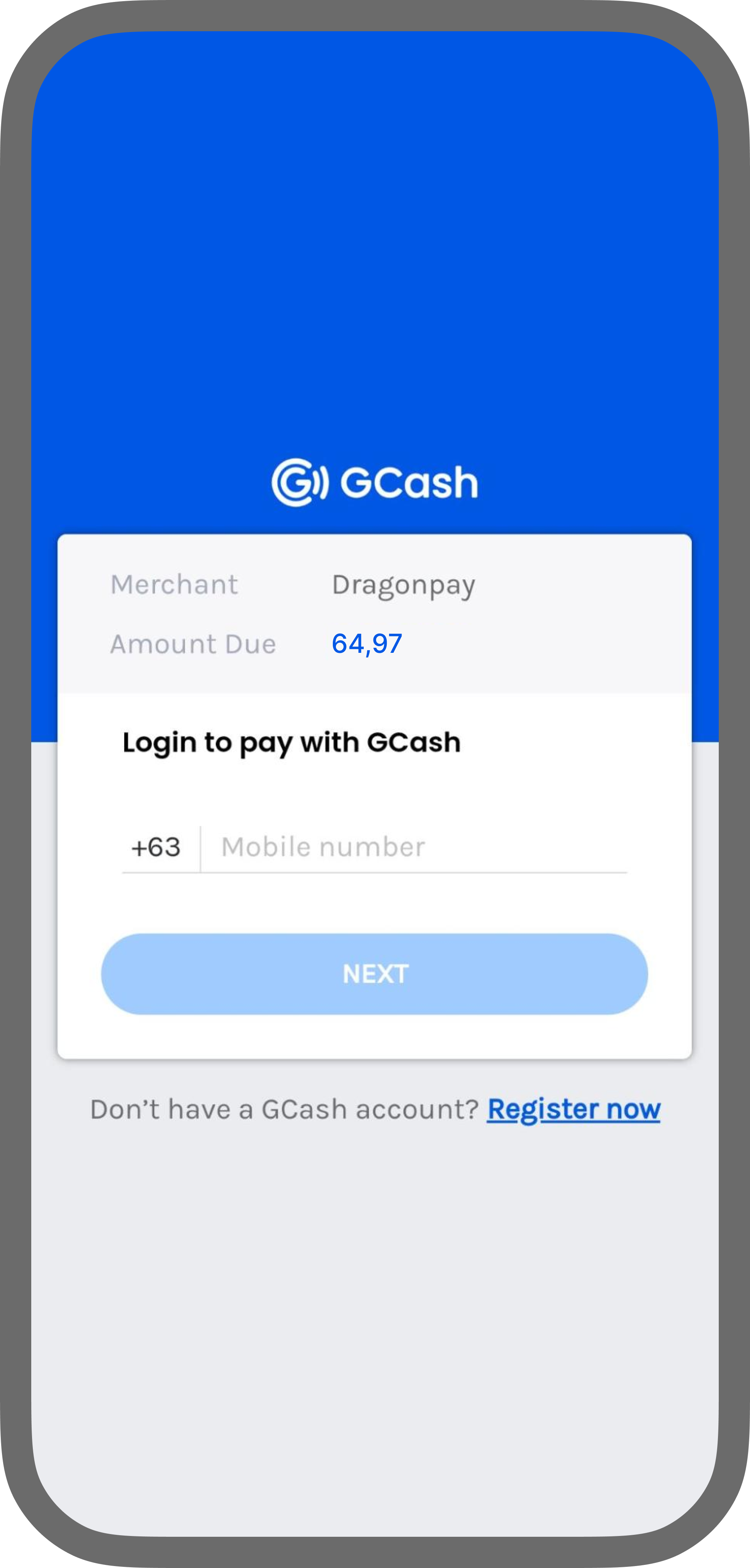
System creates a payment request and redirects the customer to the GCash authorization page. -
unscheduled
System creates a payment request with a recurring mandate set up and redirects the customer to the GCash authorization page.
-
one-time
- Authentication and authorization
Customer scans the QR code and authenticates the payment in the GCash application. During this step, the customer consents to link their GCash account to the merchant. - Payment confirmation
GCash automatically charges the customer for the payment. - Merchant notification
Merchant receives a notification Webhook confirming the payment status.

Unscheduled payments
Both follow up CIT and MIT payments are available with the same token. For unscheduled payments, customers can cancel the mandate at any time within their app. In that case, Solidgate cancels the subscription and notifies the merchant. The notification about a cancelled mandate is only available to payment providers that can notify when the payment method is no longer linked.
Only one active mandate is allowed per customer per merchant. Since a mandate is generated only during the initial payment, any upsells or additional subscriptions must use the existing recurring token.
- If a
tokenexists, use it for the upsell - If no
tokenexists, run the initial payment flow withfuture_usage.payment_typeunscheduled to create a new mandate
Brand requirements
Merchants must display the Alipay+ Partner brand and the wallet brand based on available image area, and apply the required changes on both desktop and mobile platforms before and after the authorization screen:
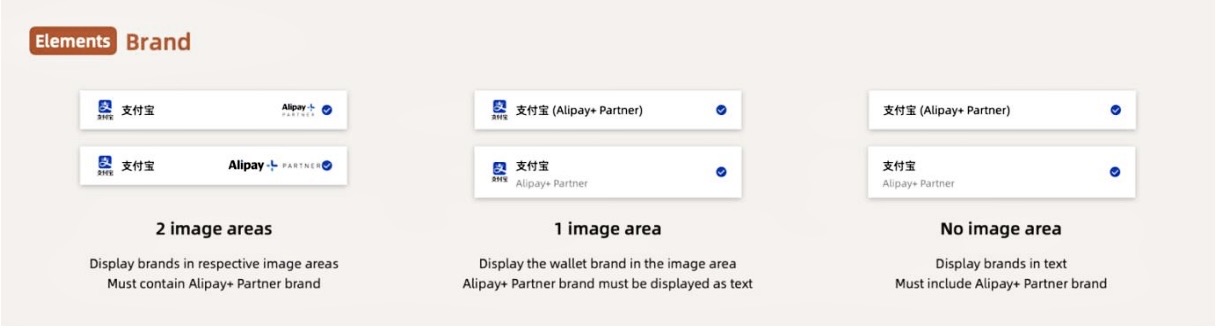
- 2 image areas: Show wallet brand and Alipay+ Partner image.
- 1 image area: Display wallet brand as an image and Alipay+ Partner brand as text.
- No image area: Display both brands as text.